
How to Add New Insurance Plan
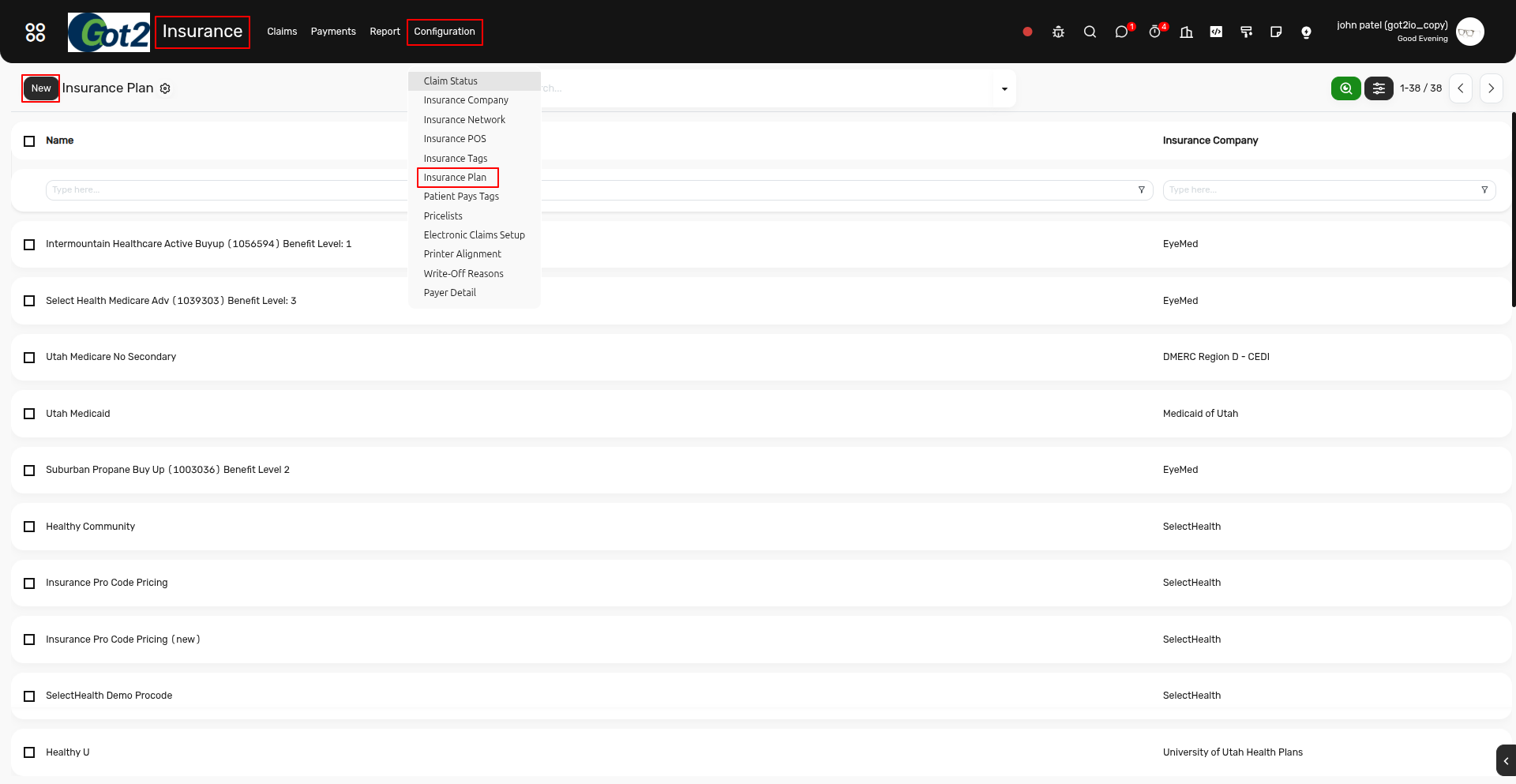
To create a new insurance Plan, navigate to Insurance > Configuration > Insurance Plan, then click on New to add a new record.
After that, enter the Insurance Plan Name, select the relevant Insurance Company, and choose the appropriate Insurance Network.
Add the required Insurance Authorization lines as needed.
Once all the necessary details have been completed, click Save to store the record.
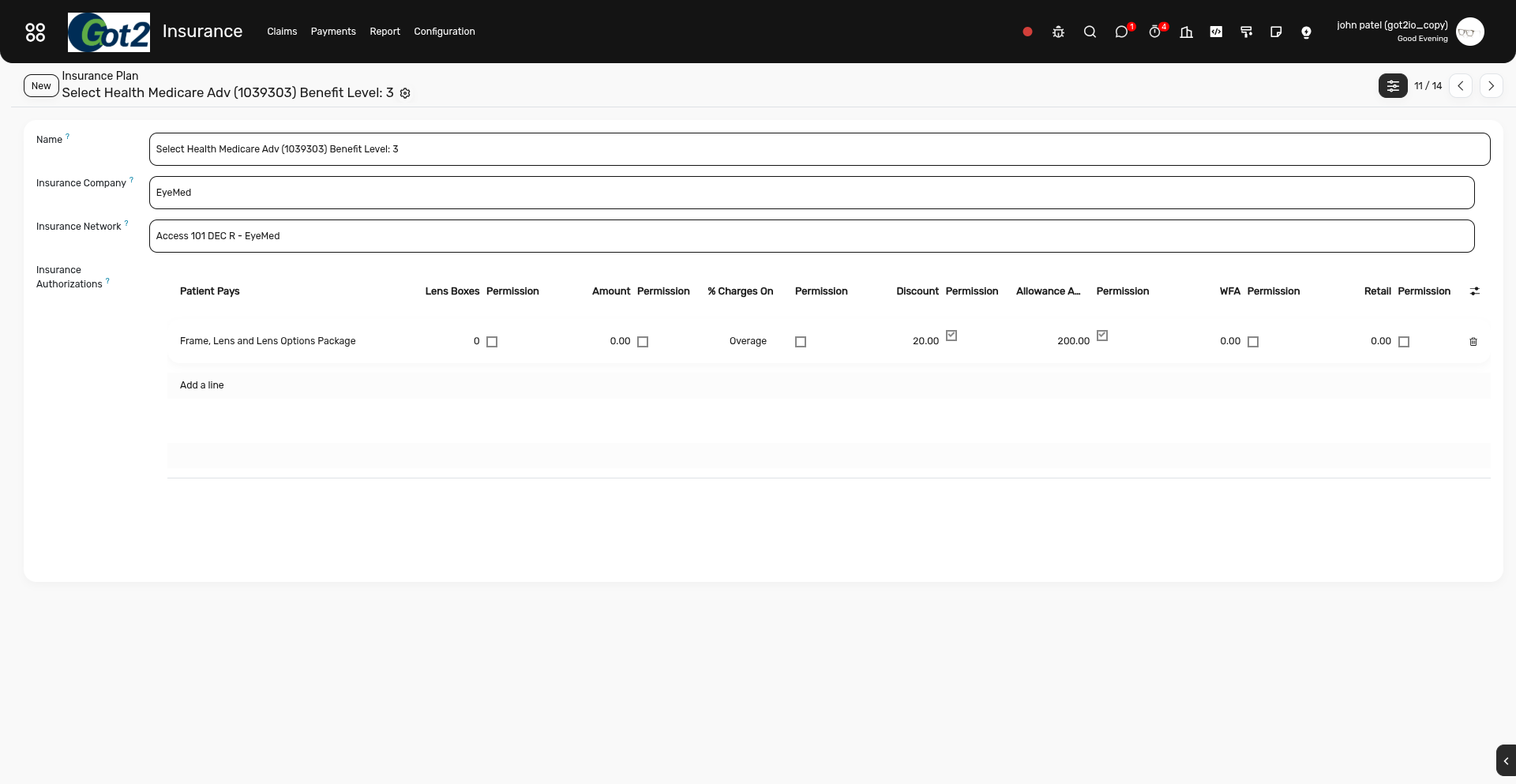
Your new Insurance Plan has now been successfully created.